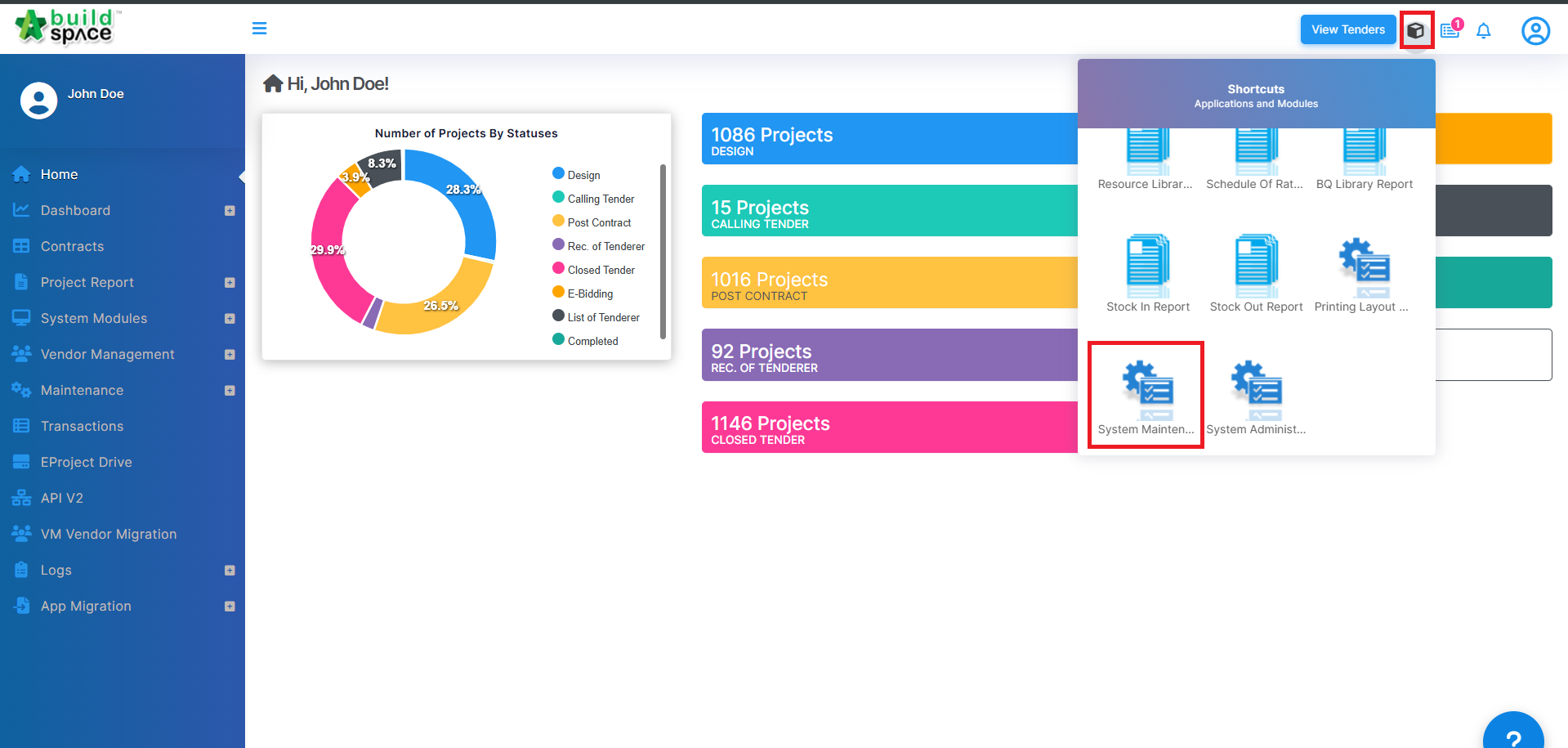
1) Login as the Super Admin or Business Unit user with admin permissions, click on the cube icon and go to "System Maintenance".
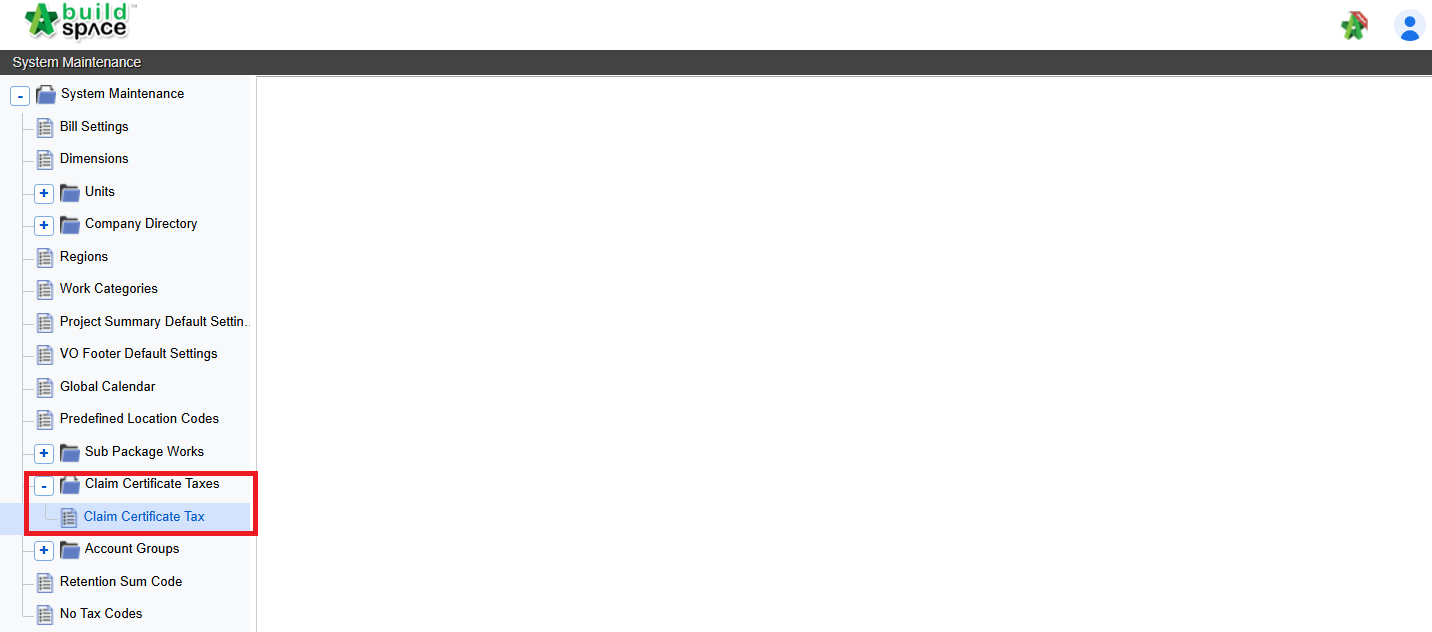
2) Click at "Claim Certificate Taxes" and then click at "Claim Certificate Tax".
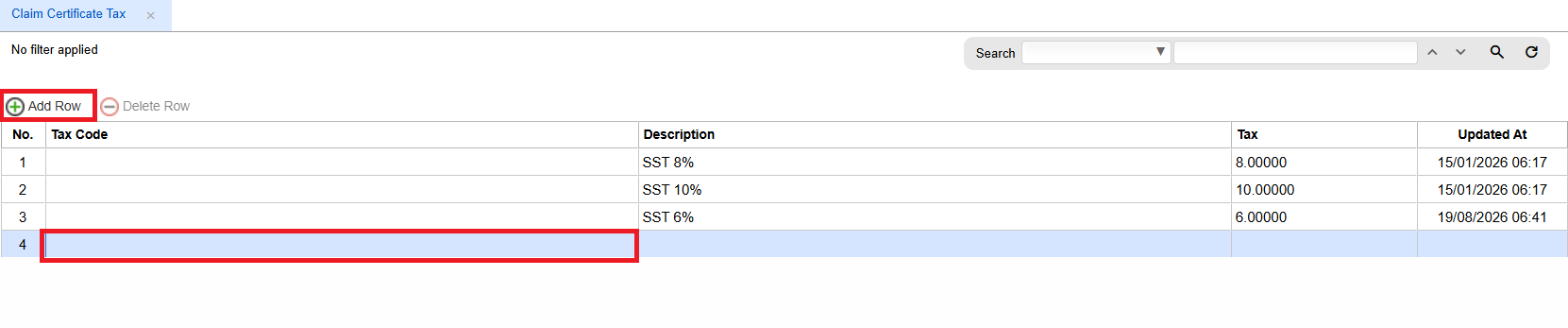
3) Click on a cell and click "Add Row" to add a new row.
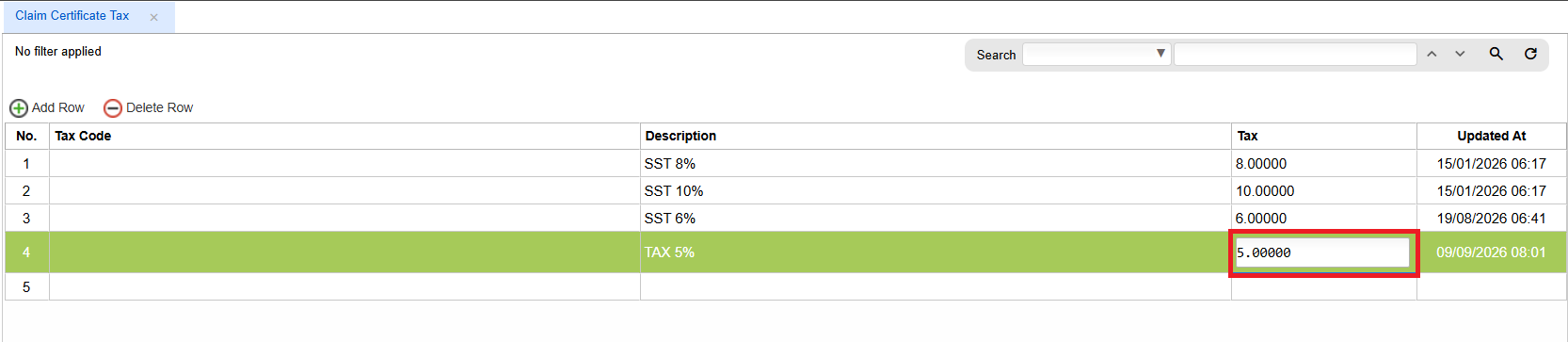
 4) Click on the cell for description and press enter to type and then press enter again to save.
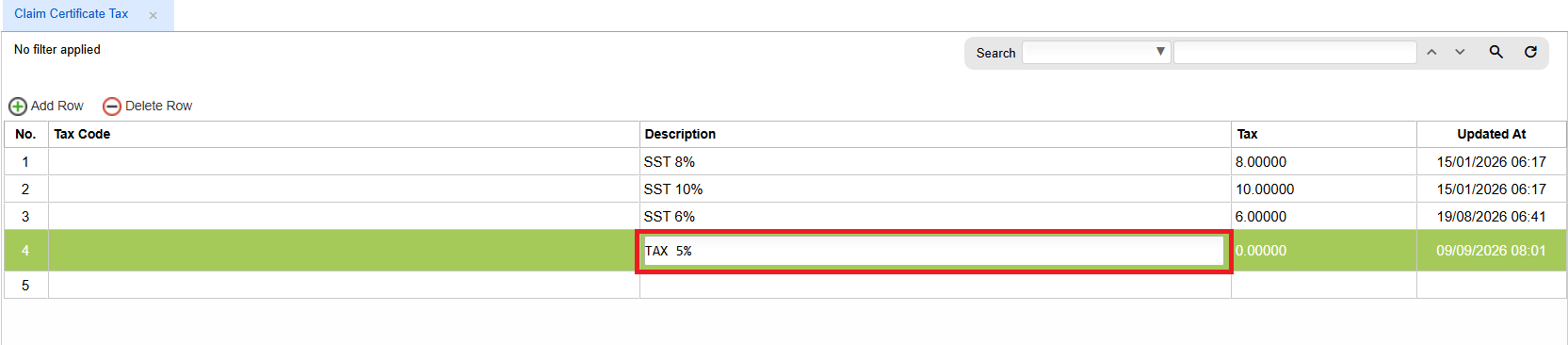
5) Click on the cell for tax and press enter to type and then press enter again to save.