1. Log in to client's BuildSpace eProject system. or You can directly login via https://procurex.asia/ and using your same user name and password to login.
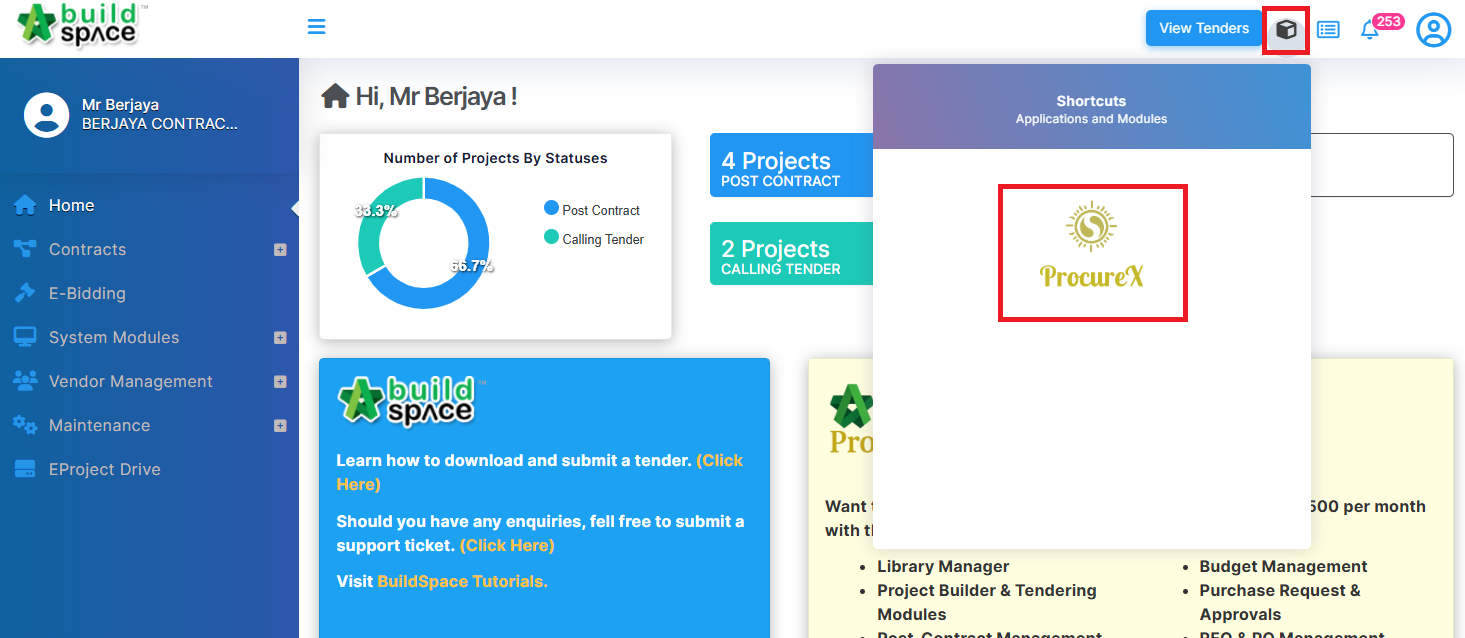
2. Click at "cube" icon.
3. Click at "ProcureX" icon to access.

Modified on: Thu, 16 Jul, 2026 at 2:30 PM
1. Log in to client's BuildSpace eProject system. or You can directly login via https://procurex.asia/ and using your same user name and password to login.
2. Click at "cube" icon.
3. Click at "ProcureX" icon to access.
Did you find it helpful? Yes No
Send feedback